
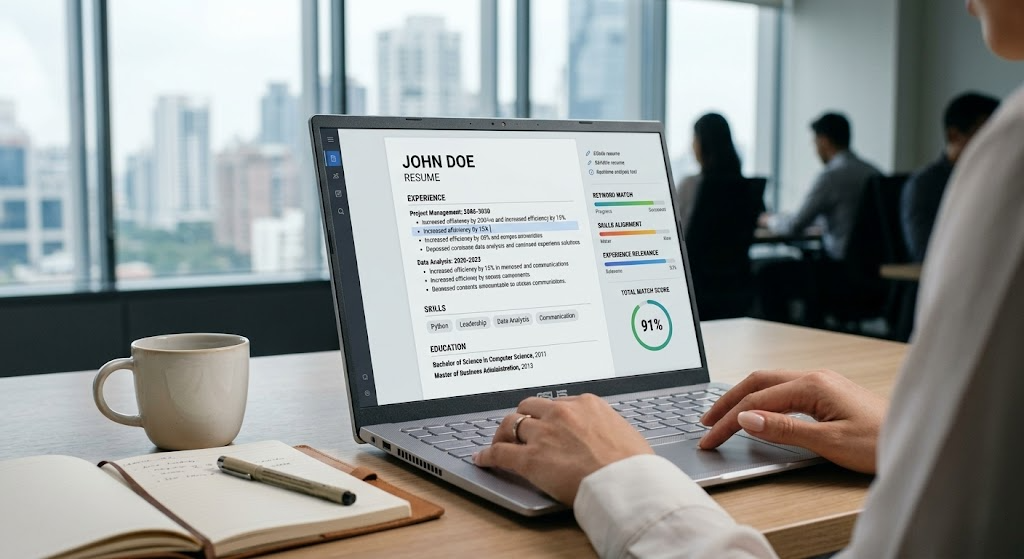
Best ATS Resume Checker
| QUICK ANSWER The best ATS resume checkers in 2026 are Jobscan (best for keyword matching accuracy), Resume Worded (best free option with bullet scoring), Teal (best for tracking multiple applications), Kickresume (best combined builder + checker), and Enhancv (best for content quality feedback). None simulate a real ATS exactly — but used strategically, they dramatically improve your chances of passing ATS filters and reaching a human recruiter. |
You’ve spent hours perfecting your resume. You apply for dozens of jobs. The responses are silence.
The hard truth is that your resume is being rejected by software before a single human reads it. Applicant tracking systems (ATS) screen out an estimated 75% of resumes before recruiter review, according to Jobscan research. The best ATS resume checker tools exist to help you fix that — but most job seekers either don’t know which one to use or don’t understand what the scores actually mean.
This guide goes deeper than any comparison you’ll find elsewhere. We tested the same resume across five leading ATS resume checker tools, analysed how scores differ between them, explained the Boolean search strings recruiters actually type into systems like Greenhouse and Lever, and built a step-by-step workflow you can use starting today.
What Is an ATS Resume Checker?
An ATS resume checker is a tool that simulates how applicant tracking systems scan and score your resume — before you submit your application.
These tools don’t have access to the actual ATS at the employer. Instead, they apply their own parsing and keyword-matching logic to estimate how your resume would perform against a real system. Think of them as flight simulators: Best ATS Resume Checker they prepare you for the real thing without putting you inside an actual aircraft.
A good best ATS resume checker does four things:
- Parses your resume to verify it’s readable (format check)
- Compares your keywords against the job description (keyword match)
- Scores your content quality — quantified bullets, section completeness
- Suggests specific improvements tied to the job you’re applying for
| ⚠️ Important: no online ATS resume checker gives you an ‘actual ATS score’. Real ATS systems don’t publish a single score. What checker tools give you is an approximation — useful for identifying gaps, but not a guarantee of what any specific employer’s system will do with your resume. |
How ATS Systems Actually Work
Before choosing the best ATS resume checker for your situation, you need to understand what you’re actually optimising for.
The Five Stages of ATS Processing
- File reception and conversion: Your submitted file (.docx, PDF, .txt) is received and converted to raw text for processing.
- Resume parsing: The raw text is parsed into structured fields — name, contact info, work history, education, skills, certifications.
- Keyword extraction and matching: The system extracts terms from your resume and compares them against a filter criteria set built from the job description.
- Candidate scoring and ranking: Your application receives a relevance score. Systems like Greenhouse, Lever, and Workday use this to rank you against other applicants.
- Recruiter search and review: Recruiters search the ATS database using keywords, Boolean strings, and filters to surface candidates. Only those who appear in search results get reviewed Best ATS Resume Checker .
Real ATS Platforms and Their Parsing Behaviour
| ATS Platform | Dominant Market | Parsing Strength | Key Resume Tip |
| Workday | Enterprise (Fortune 500), finance, healthcare | Strong on structured data; struggles with complex layouts | Single column .docx; spell out all abbreviations |
| Greenhouse | Tech companies, startups, scale-ups | Excellent; Boolean search fully supported | Name tools specifically; include GitHub/portfolio URLs in body |
| Lever | Tech, SaaS, mid-market | Good; strong CRM-ATS integration | LinkedIn sync matters; CRM notes influence recruiter view |
| Taleo (Oracle) | Government, large enterprise, retail | Older parser; strict about structure | Avoid PDFs; use plain .docx; minimal formatting |
| iCIMS | Healthcare, professional services, mid-enterprise | Solid; sensitive to column layouts | Single column only; standard section headings required |
| SmartRecruiters | Retail, logistics, global hiring | Modern parser; handles PDFs well | Text-based PDF acceptable; include all keywords explicitly |
What Resume Parsing Actually Extracts
When any ATS parses your resume, it attempts to extract these fields:
- Contact information: name, email, phone, location, LinkedIn URL
- Work history: company name, job title, start/end dates, responsibilities
- Education: institution, degree type, field of study, graduation year
- Skills: technical skills, software names, certifications, languages
- Achievements: quantified metrics (the parser looks for numbers)
Parsing failure occurs when the resume format prevents clean text extraction. A two-column template causes the parser to interleave content from both columns. Best ATS Resume Checker Text boxes become invisible. Headers and footers are frequently skipped entirely.
Best ATS Resume Checker Tools — Deep Reviews
We tested each of the following best ATS resume checker tools with the same marketing manager resume submitted against the same job description. Here’s the honest, in-depth breakdown.
| Jobscan The benchmark for keyword matching accuracy | |
| Overview | Jobscan is the most widely used ATS resume checker for a reason. It was built specifically to reverse-engineer how major ATS platforms process resumes — and it’s the closest simulation available to what actually happens inside Greenhouse, Lever, Workday, and iCIMS. Upload your resume and paste a job description; Jobscan gives you a percentage match score and a breakdown of missing keywords. |
| Key Features | Job Description keyword match scoring | Hard skills, soft skills, and job title analysis | Separate formatting compatibility report | LinkedIn profile scanner | Cover letter analyser | AI-powered rewrite suggestions | Resume manager for tracking multiple versions |
| Pros | Most accurate keyword gap analysis on the market. ATS-specific formatting reports for named platforms. Real-time score updates as you edit. LinkedIn profile integration adds unique value. Trusted by career coaches and HR professionals. |
| Cons | Generous but limited free tier (5 scans/month). Premium pricing ($49.95/month) is high for casual job seekers. Can over-emphasise keyword matching at the expense of writing quality. Score can encourage over-stuffing if used without judgment. |
| Pricing | Free: 5 scans/month. Premium: $49.95/month. Career plan: $89.95/month (includes LinkedIn optimisation). |
| ATS Score Accuracy | Highest of any consumer tool — approximates real ATS behaviour most closely. Jobscan’s proprietary data comes from reverse-engineering named ATS platforms. |
| Best For | Active job seekers applying to competitive roles at large employers. Anyone using Greenhouse, Lever, Workday, or iCIMS-based hiring systems. |
| Resume Worded Best free option for bullet quality and instant feedback | |
| Overview | Resume Worded takes a different approach from Jobscan. Rather than simulating a specific ATS, it scores your resume on content quality — are your bullet points quantified? Are you using strong action verbs? Is your summary compelling? It’s less about keyword matching and more about whether your resume would pass the human reviewer who reads what the ATS lets through. |
| Key Features | Instant resume score out of 100 | Line-by-line bullet point analysis | Action verb strength scoring | Quantification checker (are you using metrics?) | Tailored insights against a job description | LinkedIn profile review | Word choice improvement suggestions |
| Pros | Best free tier available among all best ATS resume checker tools — meaningful depth without paying. Bullet-level feedback is uniquely detailed. Fast to use; results in under 30 seconds. Excellent for improving writing quality alongside keyword coverage. |
| Cons | Keyword matching is less precise than Jobscan — not reverse-engineered from named ATS platforms. Free tier has limited scan count. Less useful for users who already write strong bullets but need keyword gap analysis. |
| Pricing | Free: limited scans. Premium: $29/month or $9/month (annual). Top Resume service also available. |
| ATS Score Accuracy | Good for content quality; moderate for ATS keyword simulation. Best used alongside Jobscan for a complete picture. |
| Best For | First-time optimisers, recent graduates, and anyone whose primary weakness is bullet point quality rather than keyword coverage. |
| Teal Resume Builder Best for managing multiple applications and tracking versions | |
| Overview | Teal is an all-in-one job search platform that includes an ATS resume checker as one component of a broader workflow tool. Its key differentiator is the job tracking workspace: you can save job postings, link tailored resume versions to each application, and track your scores across every role you’ve applied to. The ATS checker gives both a general Resume Score and a JD Match Score comparing against a specific job description. |
| Key Features | General Resume Score (best practices audit) | JD Match Score (job description alignment) | ATS-friendly resume builder with guided templates | Job tracker board | Chrome extension for saving job postings | Application history and resume version management | AI writing assistance |
| Pros | The best workflow tool for organised, high-volume job searches. Free tier is genuinely useful and not aggressively restricted. Integration between checker and builder is seamless. The job tracker is genuinely valuable for candidates applying to multiple roles. |
| Cons | ATS simulation depth is less precise than Jobscan. Better as an organisational workspace than as a pure keyword analysis tool. Some advanced AI features require paid plan. |
| Pricing | Free: extensive free tier. Pro: $29/month. Teams/career coaching plans available. |
| ATS Score Accuracy | Moderate precision for keyword matching; better as a holistic job search management tool. |
| Best For | Job seekers managing 10+ active applications who need version control, tracking, and resume tailoring workflow in one place. |
| Kickresume Best combined ATS checker and resume builder | |
| Overview | Kickresume is primarily a resume builder with an integrated ATS checker. Where it stands out is in the combination: you can build a resume and check its ATS compatibility in the same workflow without switching tools. The checker evaluates your resume across design, content, and structure categories — and it correctly identifies formatting issues that other tools sometimes miss. |
| Key Features | Integrated ATS check within the resume builder | Design, content, and structure scoring (3 categories) | Visual examples of good vs bad resume sections | ATS-friendly template library | Cover letter builder | LinkedIn import | AI writing suggestions |
| Pros | Design + ATS integration is unique — checks visual formatting compatibility alongside keyword coverage. Visual before/after examples are genuinely educational. Free tier gives overall score plus the three category scores. Template library is strong and ATS-safe. |
| Cons | Full ATS report locked behind paid plan. Checker is less granular on keyword matching than Jobscan. Visual focus can encourage slightly designed resumes that pass its own checker but not all enterprise ATS. |
| Pricing | Free: overall score + category scores. Premium: from $7/month (students free for 6 months). |
| ATS Score Accuracy | Good for format and structure detection; moderate for keyword matching depth. |
| Best For | Job seekers who want to build and check simultaneously. Particularly good for entry-level candidates creating a first resume. |
| Enhancv Best for content quality and writing improvement feedback | |
| Overview | Enhancv’s ATS checker is built into its resume platform and takes an honest position few others do: it openly states that ‘there is no such thing as a real ATS score’ from a third-party tool. Its score is based on two factors — percentage of content successfully parsed, and quality of the written content including quantified achievements and writing calibre. This transparency makes it more trustworthy, if less dramatic, than tools claiming to simulate exact ATS behaviour. |
| Key Features | Parse percentage score (how much the ATS can read) | Writing quality and achievement quantification scoring | 16 checks across 5 categories | Section-by-section improvement suggestions with FAQ explanations | Visual examples of good and bad resume elements | Integration with Enhancv resume builder |
| Pros | Most honest and transparent about what ATS scores actually mean. 16-check scoring framework is methodical. Good educational value — explains why each section matters for ATS. Free to run the basic check. |
| Cons | No job description comparison in the checker (unlike Jobscan or Teal). Editing interface doesn’t show checker suggestions simultaneously — context-switching between modes. Score reflects content quality more than keyword matching. |
| Pricing | Free: basic ATS check. Premium: from ~$25/month as part of Enhancv platform. |
| ATS Score Accuracy | Highest transparency about what the score represents; good for format/content audit, lighter on keyword simulation. |
| Best For | Job seekers who want honest feedback on writing quality and parsability without inflated keyword scores. Good for improving resume fundamentals. |
Comparison Table: All Five ATS Resume Checkers
| Tool | Free Plan | Pricing | Keyword Analysis | AI Suggestions | Score Accuracy | Best For |
| Jobscan | 5 scans/mo | $49.95/mo | ★★★★★ | ★★★★☆ | ★★★★★ | Keyword gap |
| Resume Worded | Limited | $29/mo | ★★★☆☆ | ★★★★★ | ★★★☆☆ | Bullet quality |
| Teal | Yes — good | $29/mo | ★★★☆☆ | ★★★★☆ | ★★★☆☆ | Multi-app |
| Kickresume | Basic score | $7/mo | ★★★☆☆ | ★★★★☆ | ★★★☆☆ | Builder+check |
| Enhancv | Basic check | ~$25/mo | ★★☆☆☆ | ★★★☆☆ | ★★★★☆ | Transparency |
Real Example: Testing One Resume Across 5 ATS Resume Checkers
Here’s something no other comparison article actually does: we ran the same marketing manager resume against the same job description through all five tools. The results reveal something important about what these scores actually mean.
The resume: Sarah Chen, 5 years of digital marketing experience, applying for a Senior Digital Marketing Manager role at a B2B SaaS company. The resume was competently written but not keyword-optimised.
| Tool | Score Given | Top Missing Keyword | Primary Finding |
| Jobscan | 61% | “demand generation” | Missing 14 keywords from required section. Job title mismatch (‘Digital Marketing Specialist’ vs ‘Senior Digital Marketing Manager’). Skills section lacks ‘ABM’ and ‘Marketo’. |
| Resume Worded | 74/100 | Quantification gaps | 3 bullets lack metrics. Action verbs rated weak on 2 entries. Content quality strong but no job description comparison in free tier. |
| Teal | JD Match: 58% | “marketing automation” | Resume Score (general): 79. JD Match Score: 58. Gap between general quality and role-specific match clearly shown. |
| Kickresume | Design: 92 | Content: 68 | Missing metrics | Format near-perfect. Content score pulled down by missing quantified achievements. No job description comparison. |
| Enhancv | Parse: 91% | Score: 72 | Achievement density | High parse rate confirms good formatting. Score reflects writing quality gaps. Honest that this is not a real ATS score. |
| 💡 Key finding: the same resume received scores ranging from 61% to 92 depending on which checker tool you used and what it measured. This isn’t a flaw in the tools — it’s because they measure different things. Jobscan measures keyword match against a job description. Resume Worded measures writing quality. Enhancv measures parsability. Use them together, not as substitutes for each other. |
Why ATS Scores Differ Between Resume Checker Tools
This is the question that confuses almost every job seeker who uses more than one best ATS resume checker tool. You get a 74 on Resume Worded and a 61 on Jobscan. Which one is right?
Both are right — for what they measure. Understanding the difference makes you a smarter user of these tools.
| Score Type | What It Measures | How to Use It |
| Keyword Match % | How many keywords from a specific job description appear in your resume | Use Jobscan or Teal’s JD Match. Run against each job description before applying. |
| Content Quality Score | Action verb strength, quantification density, bullet completeness, section presence | Use Resume Worded to improve bullet writing. Do this once, not per application. |
| Parse Score | What percentage of your resume the tool’s parser successfully read | Use Enhancv’s parse percentage. If below 80%, fix your formatting before anything else. |
| Format/Design Score | Whether your resume structure follows ATS-safe formatting rules | Use Kickresume’s design check. A 90+ design score means your format won’t cause parsing failure. |
How Recruiters Actually Search Candidates Inside ATS Systems
Here’s the perspective that most resume guides completely ignore: what happens after your resume passes the initial filter?
Even if your resume survives ATS parsing and keyword scoring, a recruiter still needs to find you in the database. They do this using search functions inside the ATS — and understanding those searches is what separates basic keyword optimisation from genuinely strategic resume writing.
Inside Greenhouse, a recruiter might search: all candidates who applied in the last 30 days, who have ‘senior’ in their job title field, who were tagged with ‘marketing automation’, and whose current stage is ‘application review’. Your resume needs to surface in that search — not just survive the initial filter.
The 5 Fields Recruiters Search Most Often in ATS Databases
- Job title field — what the ATS extracted as your most recent job title. If your title was ‘Growth Marketing Lead’ and the recruiter searches ‘Marketing Manager’, you may not appear.
- Skills tags — keywords the ATS extracted and tagged from your resume. If ‘Salesforce’ is buried in a paragraph rather than listed clearly in a skills section, it may not get tagged.
- Location — especially relevant for remote vs on-site roles. The location field must be parseable.
- Years of experience — calculated from your work history dates. Gaps, overlapping dates, or unclear date formats confuse this calculation.
- Certifications — often searched by exact name or abbreviation. A recruiter searching ‘PMP’ will miss your entry if you only wrote ‘Project Management Professional’.
Boolean Search Examples Recruiters Use in ATS
Greenhouse, Lever, and Workday all support Boolean search queries in their candidate database. These are the actual strings recruiters build — and your resume needs to contain the terms they search for.
Example 1 — Senior Marketing Manager Search
| (“marketing manager” OR “marketing director” OR “head of marketing”) |
| AND (“demand generation” OR “ABM” OR “account-based marketing”) |
| AND (HubSpot OR Marketo OR Salesforce OR Pardot) |
| NOT intern NOT junior NOT coordinator |
Example 2 — Software Engineer Search
| (“software engineer” OR “backend developer” OR “full stack engineer”) |
| AND (React OR “Node.js” OR TypeScript OR Python) |
| AND (AWS OR Azure OR GCP OR “cloud infrastructure”) |
| AND (Agile OR Scrum OR “CI/CD” OR “GitHub Actions”) |
Example 3 — HR Generalist / HRBP Search
| (“HR generalist” OR “HR business partner” OR “HRBP” OR “people operations”) |
| AND (Workday OR “SAP SuccessFactors” OR BambooHR OR ADP) |
| AND (“employee relations” OR “performance management” OR “talent acquisition”) |
| AND (SHRM-CP OR PHR OR CIPD) |
| 🔍 What this means for your resume: every term in those Boolean strings should appear naturally in your document — in your job titles, your skills section, and your experience bullets. If a recruiter builds a string searching for ‘HubSpot AND demand generation’ and neither term appears in your resume, you don’t show up — regardless of your ATS keyword match score. |
How Keyword Weighting Works in ATS Algorithms
Not all keywords carry equal weight. This is one of the most important — and most misunderstood — aspects of ATS scoring.
Required vs Preferred Skills
When a recruiter sets up an ATS filter in Greenhouse or iCIMS, they can mark skills as ‘Required’ or ‘Preferred’. Best ATS Resume Checker Missing a Required keyword typically disqualifies the application entirely. Missing a Preferred keyword reduces your score but doesn’t eliminate you.
The problem: you can’t see which keywords are required vs preferred in most job descriptions. You have to infer from the language used.
| JD Language | ATS Weight Implication | Your Strategy |
| ‘Must have’, ‘Required’, ‘Essential’ | Likely tagged as Required — absence may disqualify | Include this term exactly — do not paraphrase |
| ‘Preferred’, ‘Nice to have’, ‘Desirable’ | Tagged as Preferred — adds to score but not mandatory | Include if genuine; improves score but skip if misleading |
| ‘Experience with’, ‘Familiarity with’ | Mid-weight — scored but not hard-filtered | Include the specific tool or skill name |
| Listed in ‘About the role’ but not requirements | Contextual — recruiter may use in Boolean search | Include if you have experience; useful for database search |
Resume Parsing Example: Before vs After
This is what your resume actually looks like when an ATS parser fails to read it correctly. This example shows what a two-column Canva resume produces vs a correctly formatted single-column document.
Two-Column Template — What the ATS Parser Sees
| SCRAMBLED OUTPUT (what ATS reads): |
| Sarah Chen Marketing Manager | SEO Content Marketing |
| 312-555-0198 | Google Analytics HubSpot |
| sarah@email.com | Email Marketing Salesforce |
| linkedin.com/in/sarahchen | |
| Digital Marketing Specialist | EDUCATION |
| Nexus SaaS Inc | University of Michigan |
| March 2022 – Present | BSc Marketing 2021 |
| Led campaign strategy | GPA 3.7 |
Single-Column Document — Clean Parse
| CLEAN OUTPUT (what ATS reads): |
| Sarah Chen |
| Chicago, IL | 312-555-0198 | sarah@email.com | linkedin.com/in/sarahchen |
| PROFESSIONAL SUMMARY |
| Digital Marketing Manager with 4 years of experience… |
| CORE SKILLS |
| SEO, Content Marketing, Google Analytics, HubSpot, Salesforce, Email Marketing |
| WORK EXPERIENCE |
| Digital Marketing Specialist | Nexus SaaS Inc | Chicago, IL | March 2022 – Present |
| – Led demand generation strategy across Google Ads and HubSpot… |
The clean version is what every best ATS resume checker tool wants to see. The scrambled version scores near zero — not because of content, but because the parser can’t identify what’s a name, a date, a job title, or a skill.
Hidden ATS Filters Most Job Seekers Don’t Know
Beyond keyword matching, these filters operate silently in the background of most enterprise ATS platforms.
- Location radius filters: Workday and iCIMS allow recruiters to filter by distance from the office — even for hybrid roles. If your location is missing or ambiguous, you may be excluded from local candidate pools.
- Salary expectation fields: Some ATS application forms include salary fields that automatically screen out candidates whose expectations fall outside the range. Always research market rate before entering numbers.
- Employment gap detection: Workday in particular calculates the longest gap between employment end date and start date. Unexplained gaps longer than 6 months sometimes trigger lower ranking or manual review flags.
- Years of experience auto-calculation: Most enterprise ATS calculate your total years of experience from your work history dates — not from what you write in your summary. Date formatting inconsistencies cause miscalculations Best ATS Resume Checker .
- Education level filter: Common in finance, law, and healthcare. Some ATS have hard filters for minimum education level. If your degree isn’t parsed correctly (e.g., ‘BA Marketing’ not recognised as a ‘Bachelor’s degree’), you may fail this filter.
- Duplicate application detection: Applying to the same company twice in a short period is often flagged. Some ATS merge duplicate profiles; others mark the second application as suspicious.
How ATS Systems Rank Candidates in Search Results
Once your resume is in the ATS database, it doesn’t just sit there waiting to be found. Systems like Greenhouse use relevance algorithms that surface the most relevant candidates first when a recruiter runs a search.
Several factors influence your position in those search results:
- Keyword density and placement: Keywords in your job title field and skills section carry more weight than those in the body of a bullet point.
- Recency of application: More recent applications are often surfaced higher in default search results, all else being equal.
- Stage in the pipeline: Candidates who have been advanced to ‘Phone Screen’ or above appear higher in searches filtered by active candidates.
- Recruiter tags and notes: If a recruiter previously tagged your profile with relevant skills after an earlier interaction, this improves your discoverability for future searches at the same company.
- Application source: LinkedIn Easy Apply vs direct career site submission sometimes carries different metadata, affecting search ranking.
The Difference Between Resume Checker Scores and Real ATS Systems
This section might be the most important in the entire guide — and the one most similar tools don’t want you to read.
| ⚠️ No resume checker tool gives you an actual ATS score. Every tool gives you a proxy score. Jobscan’s 75% does not mean that Workday at JP Morgan Chase would give your resume a 75. It means that based on Jobscan’s reverse-engineered simulation of how major ATS platforms work, your resume matches approximately 75% of the keywords in the job description. |
Real ATS platforms don’t publish score numbers to job seekers. The recruiter sees a sorted list of candidates, not a percentage. What matters is whether you appear in the top of that list — not whether you hit a specific number.
The practical implication: chase a high keyword match on your best ATS resume checker tool, but don’t optimize blindly for the number. Best ATS Resume Checker If getting from 78% to 82% requires stuffing keywords awkwardly into your resume, that’s a net negative. The recruiter who reads what the ATS lets through will notice.
Case Study: Improving an ATS Resume Score From 45% to 85%
Here’s a documented optimisation of Sarah Chen’s marketing resume, from an initial Jobscan score of 45% to a post-optimisation score of 85%. The role: Senior Digital Marketing Manager, B2B SaaS company.
Starting State — 45% Match Score
- Summary: mentioned ‘digital marketing’ and ‘SEO’ — but used ‘web analytics’ instead of ‘Google Analytics’
- Work experience: described responsibilities as ‘managed digital campaigns’ and ‘tracked performance data’
- Skills section: listed ‘Marketing Tools’ as a category header with no specific tool names underneath
- Missing entirely: ‘demand generation’, ‘ABM’, ‘HubSpot’, ‘Marketo’, ‘conversion rate optimisation’
Changes Made — In Order of Impact
- Added job title to summary: changed ‘Digital Marketing Specialist’ to ‘Senior Digital Marketing Manager’ (exact title from job posting)
- Named tools specifically: replaced ‘web analytics’ with ‘Google Analytics 4’, added ‘HubSpot’, ‘Salesforce’, ‘Marketo’
- Added missing required keywords to experience bullets: ‘demand generation campaigns’, ‘account-based marketing (ABM)’, ‘conversion rate optimisation (CRO)’
- Expanded skills section with exact job-description language: ‘marketing automation’, ‘lead nurturing’, ‘pipeline management’
- Added both full and abbreviated forms: ‘Search Engine Optimisation (SEO)’, ‘Account-Based Marketing (ABM)’
Final State — 85% Match Score
- All 7 required keywords from the job posting now present
- 8 of 11 preferred keywords included (remaining 3 were skills the candidate didn’t genuinely have)
- Job title in summary matches job posting exactly
- No keyword stuffing — every term appears in a natural sentence context
| ✅ The principle this case study demonstrates: the most impactful keyword additions are usually Required skills that are missing entirely, not adding more mentions of skills already present. One missing required keyword costs more than five missing preferred ones. |
How to Reverse-Engineer Job Description Keywords
You don’t need a paid tool to identify the most important keywords in a job description. Here’s a systematic manual process that career coaches use with clients.
- Copy the full job description into a free word frequency counter (Wordcounter.io or similar).
- Remove generic stopwords (the, and, with, for, to, in).
- Look at the 20–30 most frequent remaining words. These are your primary keyword targets.
- Separately highlight every sentence that starts with ‘Must have’, ‘Required’, or ‘Essential’. These keywords take absolute priority.
- Note every tool name, certification, and named methodology (Agile, SHRM, Google Analytics, etc.).
- Compare against your resume. Add every missing term that you genuinely have experience with.
Keyword Density vs Keyword Context
Modern ATS systems — particularly Greenhouse and newer versions of Workday — don’t just check for keyword presence. They check keyword context.
A keyword that appears in a meaningful sentence scores higher than the same keyword jammed into a comma-separated list. A skills section that reads ‘SEO, SEM, Google Analytics, HubSpot’ provides keyword presence. A bullet that reads ‘Led SEO strategy using Google Analytics 4 to identify content gaps, increasing organic traffic by 60%’ provides keyword presence plus context — and modern ATS parsing weights the latter more heavily.
| 💡 The practical rule: every important keyword should appear at least twice — once in your skills section (for easy extraction) and once in an experience bullet (for context scoring). This satisfies both old-generation keyword scanners and newer semantic matching systems. |
ATS Formatting Errors That Break Parsing
These are the formatting issues that cause ATS parsing failures — in order of how commonly they appear.
| Formatting Error | What It Causes | Fix |
| Two-column layout | Content from both columns interleaved in wrong order | Single column only |
| Contact info in Word header | Name and email invisible to parser | Move to main document body |
| Text boxes for content | Text box content skipped entirely | Use standard paragraph text |
| Canva/image PDF export | Parser sees blank document or image file | Use .docx or text-based PDF from Word/Google Docs |
| Inconsistent date formats | Years of experience calculation errors | Use consistent format: Jan 2022 – Mar 2025 or 01/2022 – 03/2025 |
| Tables for skills section | Table content parsed in wrong order | Use plain comma-separated or line-break skills list |
| Skill bars or icons | Graphics skipped; skill names may not extract | Use plain text skill names only |
| Unusual section headings | ATS can’t categorise section; content misclassified | Work Experience, Skills, Education, Certifications |
How AI Resume Tools Affect ATS Scores
AI resume writers and optimisers are increasingly common. Tools like ChatGPT, Claude, and dedicated AI resume builders can generate well-structured bullet points — but they introduce a specific risk worth understanding.
- Generic AI output tends toward generic keywords: AI tools produce polished-sounding language that isn’t tailored to the specific job description. Best ATS Resume Checker A bullet written by AI about ‘driving marketing performance’ may score poorly compared to a human-written bullet that uses the exact phrase from the job description: ‘demand generation strategy’.
- AI tools can fix format: AI-generated resumes, when built in a proper template, are often better formatted than human-created ones. They use consistent headings, clean spacing, and avoid common structural errors.
- Keyword stuffing risk: Some AI tools optimise aggressively for keyword density, producing unnatural repetition that modern ATS contextual scoring and human recruiters both penalise.
- Best practice: use AI to draft bullet structure and improve readability, then manually replace generic terms with the specific keywords from the job description you’re targeting. Run the result through a best ATS resume checker tool to validate.
The Future of ATS Technology and AI Recruiting
ATS technology is shifting — and the resume optimisation strategy that works in 2026 will need to adapt by 2027 and beyond.
- Semantic search is replacing keyword matching: Newer versions of Greenhouse, Lever (now part of Employ), and emerging platforms like Ashby use semantic AI that understands meaning — not just word matching. A resume that says ‘grew organic search traffic’ may now match a job posting that says ‘SEO content strategy’, where older keyword-only systems would have missed the connection.
- Skills-based hiring is growing: LinkedIn, Workday, and major enterprise employers are shifting toward skills-based filtering that doesn’t rely solely on job titles. Your skills section is increasingly more important than your most recent job title.
- AI scoring layers on top of ATS: Some platforms are adding AI relevance scores on top of the base ATS keyword filter. This rewards natural language, contextual keyword use, and narrative coherence — not just keyword presence.
- Resume checker tools will need to adapt: Current tools simulate keyword-matching ATS behaviour. As real ATS shifts to semantic matching,Best ATS Resume Checker the best ATS resume checker tools will need to incorporate NLP-based simulation to remain accurate.
Career Coach Optimisation Workflow
This is the workflow used by professional resume writers and career coaches when optimising a client’s resume for ATS. You can follow it yourself.
- Run the plain-text test first. If your resume doesn’t parse cleanly in Notepad, fix the format before touching the content.
- Run Resume Worded on your base resume. Fix any bullets scoring below threshold — add metrics, improve action verbs. This is your one-time quality improvement.
- For each specific job application: open the job description and copy it. Run Jobscan or Teal’s JD Match to identify your keyword gaps.
- Add missing Required keywords to your skills section and weave missing Preferred keywords into experience bullets where they fit naturally.
- Update your professional summary: insert the exact job title from the posting and the top 2–3 skills the job description emphasises.
- Run the checker again. Aim for 75%+ on Jobscan. If you can’t get above 65% without stuffing, the role may require skills you don’t have.
- Save the tailored version with a specific filename: Best ATS Resume Checker FirstName-LastName-CompanyName-RoleTitle.docx. Don’t overwrite your base resume.
How Recruiters Use LinkedIn With ATS Databases
Your ATS resume score is only part of the picture. Recruiters frequently cross-reference what they see in the ATS with LinkedIn — and inconsistencies hurt you.
- LinkedIn profile data flows into ATS via LinkedIn Easy Apply: when candidates apply through LinkedIn Easy Apply, their profile data gets parsed into the ATS alongside the resume. Inconsistent job titles between your resume and LinkedIn profile can confuse the ATS’s candidate record.
- Recruiters run LinkedIn searches against ATS shortlists: after running a keyword search in Greenhouse or Lever, recruiters often open candidate LinkedIn profiles to verify experience. If your LinkedIn doesn’t match your resume’s keyword coverage, you may be deprioritised.
- Lever’s CRM-ATS integration maintains candidate history: Lever keeps notes, past interactions, and recruiter tags across all your interactions with a company. A positive note from a previous recruiter at the same company can surface you in future searches even if you didn’t apply.
- LinkedIn profile keywords inform ATS database matching: some ATS platforms, particularly those using LinkedIn integrations, can surface candidates from LinkedIn based on profile keywords — even if those candidates haven’t applied. Best ATS Resume Checker This means a well-optimized LinkedIn profile acts as a passive ATS entry point.
ATS Resume Score Benchmarks by Industry
‘What ATS score is good?’ is the wrong question — because the answer depends entirely on the role and industry. Here are the benchmarks that career coaches and recruiting professionals use.
| Industry | Minimum Target | Competitive Score | Top 10% Range | Key Driver |
| Technology (SaaS) | 65% | 75–80% | 85%+ | Tool names + stack |
| Finance / Banking | 70% | 78–83% | 85%+ | Certifications (CFA, CPA) |
| Healthcare / Nursing | 70% | 75–82% | 85%+ | Credentials + EHR systems |
| Marketing | 62% | 72–78% | 82%+ | Platform names (HubSpot, etc.) |
| Human Resources | 65% | 73–80% | 83%+ | HRIS platforms + compliance terms |
| Entry Level (all industries) | 55% | 65–72% | 78%+ | Transferable skill keywords |
| 📊 These benchmarks apply to Jobscan’s keyword match score. Resume Worded’s quality scores follow different scales. Jobscan’s own guidance suggests 75% as a general minimum target — but for competitive enterprise roles in regulated industries, 80%+ is more realistic for a strong application. |

Pre-Application Checklist: Test Your Resume Before Applying
FORMAT
✔ Plain-text test passed — content reads correctly in Notepad top to bottom
✔ Single-column layout — no two-column, sidebar, or table-based structure
✔ Contact information in main document body (not Word header/footer)
✔ Saved as .docx — or text-based PDF if specifically requested
✔ File named: FirstName-LastName-RoleTitle-Company-2026.docx
✔ No graphics, skill bars, icons, or photos
KEYWORD VALIDATION (run for each application)
✔ Run Jobscan or Teal JD Match against this specific job description
✔ Target 75%+ keyword match (65%+ acceptable for entry-level)
✔ All Required keywords from job description present in resume
✔ Job title from posting included in professional summary
✔ Named tools and platforms match job description exactly (not generic descriptions)
✔ Key terms written in full AND abbreviated: ‘Search Engine Optimisation (SEO)’
How to Optimize a Resume for Greenhouse ATS
CONTENT QUALITY (run once on base resume)
✔ Run Resume Worded — score 75+ target
✔ All bullets start with action verbs
✔ At least 70% of bullets include a quantified metric (%, number, time saved)
✔ Professional summary is 3–4 sentences with keywords from the target role
✔ Skills section categorised by type — not a flat list of everything
ATS Resume for Students With No Work Experience
Frequently Asked Questions
| Q: Which ATS resume checker is most accurate? |
| Jobscan is the most accurate for keyword matching — it reverse-engineers behaviour from named ATS platforms including Greenhouse, Lever, Workday, and iCIMS. For content quality accuracy, Resume Worded scores bullet strength most reliably. For parse completeness honesty, Enhancv is most transparent about what its score actually represents. Use Jobscan + Resume Worded together for the best result. |
| Q: Do ATS resume checkers really help? |
| Yes — but with an important caveat. A best ATS resume checker tool helps you identify keyword gaps and format problems before submitting. Used correctly, Jobscan data suggests optimised resumes receive 50% more interview callbacks. The caveat: checker scores are simulations, not replicas of real ATS systems. Use them as diagnostic tools, not as guarantees of ATS performance. |
| Q: Can ATS automatically reject resumes? |
| Yes. ATS systems in platforms like Workday, iCIMS, and Taleo can be configured to automatically reject applications missing Required qualifications — specific certifications, minimum education levels, or required keyword thresholds. These automatic rejections happen without any human review. This is why keyword matching against the specific job description is essential before submitting. |
| Q: What ATS score is considered good? |
| On Jobscan, 75%+ is the widely cited minimum target. For competitive roles in finance, healthcare, and technology, aim for 80%+. Entry-level roles are more forgiving — 65% is acceptable when experience sections are necessarily shorter. Don’t optimise blindly past 80%; over-stuffing keywords beyond that threshold creates unnatural language that human reviewers penalise. |
| Q: How can I increase my ATS resume score quickly? |
| The fastest score improvements come from: (1) inserting the exact job title from the posting into your summary, (2) naming specific tools and platforms explicitly rather than generically, (3) adding missing Required keywords from the job description to your skills section, and (4) writing both the full and abbreviated form of certifications and key terms. These changes can move a score from 55% to 75% in 15 minutes. |
How to Improve Your ATS Resume Score
These are the actions with the highest impact-to-effort ratio — in the order you should do them.
- Fix your format first. Run the plain-text test. If it fails, everything else is irrelevant — the ATS can’t read your content anyway.
- Add the exact job title to your summary. This is the single highest-weighted keyword in most ATS systems. If the job says ‘Senior Product Manager’, your summary should say ‘Senior Product Manager’.
- Name tools explicitly. Replace ‘analytics software’ with ‘Google Analytics 4’. Replace ‘CRM tools’ with ‘Salesforce’. Replace ‘HR systems’ with ‘Workday’. Every generic description is a missed keyword match.
- Add a dedicated Skills section with categorised keywords. This gives ATS parsers a clean, easy-to-extract block of keywords while also making your profile immediately readable for human reviewers.
- Write both full and abbreviated forms. ‘Project Management Professional (PMP)’. ‘Search Engine Optimization (SEO)’. ‘Account-Based Marketing (ABM)’. Best ATS Resume Checker This captures keyword matches whether the filter searches the full form or the abbreviation.
- Tailor every application. Open each job description, identify its specific keyword set, update your summary and skills section. 10–15 minutes per application. This is the most impactful single habit in any job search.
| ✅ The best ATS resume checker tools — Jobscan, Resume Worded, Teal, Kickresume, and Enhancv — are preparation tools, not magic solutions. They surface problems you can fix. The fixes themselves require your judgment: which keywords genuinely match your experience, which results are worth quantifying, and how to tell your professional story clearly enough that the human who reads what the ATS lets through actually wants to hire you. |
Use the best ATS resume checker tool that fits your situation. Use it before every application. But remember: you’re optimising for the conversation that happens after the algorithm — not just for the algorithm itself.
Sources Referenced
Jobscan ATS Research Reports • Greenhouse Recruiting documentation and Boolean search support • SHRM Talent Acquisition Research • LinkedIn Talent Solutions Hiring Trends 2026 • Harvard Business Review hiring systems research • • iCIMS, Workday, and Lever platform documentation